Sports Association Documentation
We appreciate you selecting Sports Association! The goal of this tutorial is to take you step-by-step through the complete theme for WordPress setup and customization process. It addresses a number of topics to make getting started simple. Kindly check out our Contact Area for help whether you're facing any inquiries that aren't covered in this article. Thank you for your support!
Description
A Sports AThe Sports Association theme is designed for organizations that manage teams, leagues, and sporting events. It provides structured layouts for fixtures, player profiles, match results, and event schedules, helping users present information clearly and efficiently. Built with a responsive design, it ensures consistent performance across desktop and mobile devices. Key features include customizable sections, easy navigation menus, gallery support, and integration with essential plugins for performance and SEO optimization. This Sports Association solution is suitable for sports clubs, local leagues, fitness centers, school teams, and community organizations that need a reliable website to share updates, announcements, and match details. It also supports blogging and content management, making it useful for publishing news, training tips, and event coverage. With clean code and user-friendly customization options, it helps administrators manage content without technical complexity while maintaining search engine visibility and fast loading speed.ssociation plays a vital role in shaping new and growing ventures by offering strategic guidance across Business, Finance, and Corporate development. Acting as a bridge between vision and execution, a Sports Association often collaborates with a Creative Agency, PR Agency, Advertising Firm, and IT Consulting Firm to ensure a strong market presence and scalable growth. Their expertise spans Financial Services, branding, operations, and technology, making them an essential partner for modern startups. From a design and presentation perspective, a Sports Association’s digital presence should reflect a modern, minimal, and elegant approach. A clean, sophisticated, and luxurious layout builds trust with investors and clients alike. With retina ready, responsive, and mobile friendly design, the platform ensures a seamless experience across devices. The interface remains user-friendly, interactive, and beautiful, enhanced with animated elements and stunning visuals to engage users effectively. Built with bootstrap, optimized codes, and clean code, the website delivers a faster page load time while maintaining secure and clean code standards. As a multipurpose and agency friendly solution, Sports Association suits a Corporate Agency, Financial Agency, or IT Consulting Firm equally well. Developers benefit from flexible shortcodes, extensive Customization Options, and advanced personalization options to tailor the site to specific consulting needs. Key sections such as a bold Banner, professional Team showcase, impactful testimonial section, and clear Call to Action Button (CTA) help convert visitors into clients. Integrated social media features strengthen brand reach, while translation ready functionality supports global expansion. Overall, a Sports Association embodies innovation, strategy, and professionalism—delivering a clean, modern, and multipurpose consulting experience designed for today’s competitive corporate landscape.Establishment of this a theme
a. via the WordPress Administration
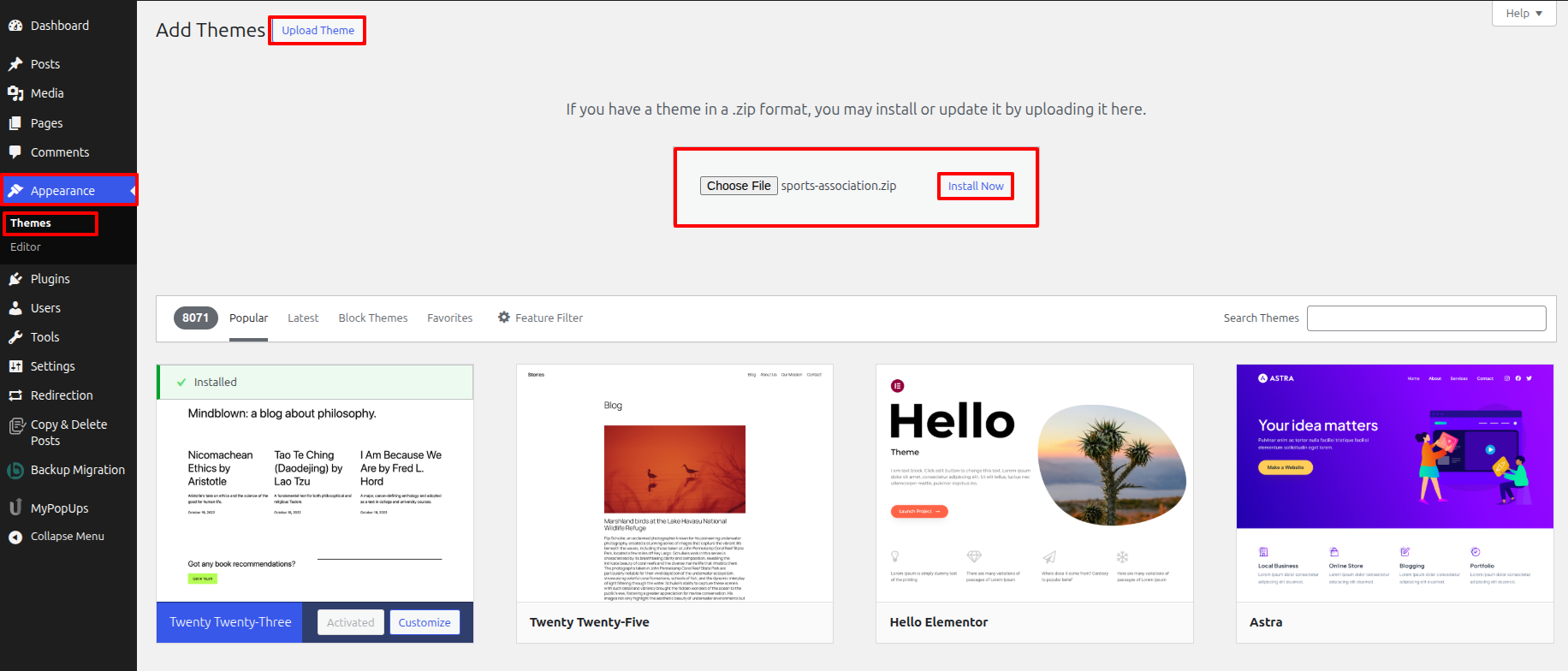
- Along Your a dashboard on the WordPress platform, pick Appearance > Themes, or finally hit the Add New box.
- Choose a Upload Theme alternate.
- Find the theme file that has been unzipped on your desktop or laptop by pressing the Browse option.
- Locate the sports-association.zip file, pick it, then press OK.
- Whenever the installation is complete, tap the Install Now box.
- After installation, add the theme to your WordPress website by clicking the Activate link.
Featuring an FTP client for installation process
While you have FTP authorization for accessing your website's hosting server as well as a client that supports FTP installed, such FileZilla, you can use this method to upload your theme..
- Unpack that sports-association.zip files or unzip its entire contents.
- Open your FTP client and connect to your server.
- Decide into the /wp-content/themes/ directory.
- The unzipped themes files should be uploaded towards /wp-content/themes/ .
- Decide into Appearance > Themes immediately following enrolling into the WordPress admin area, then enable the theme.
Once the theme is uploaded to the server, you can activate it from the WordPress dashboard. To do this, Decide into Appearance > Themes in the admin panel. You ought to view the main theme. listed as Sports Association. Simply click the chosen theme and the "Activate" tab will be applied successfully.
Main Site Setup
Set up the Main Site by following these steps:
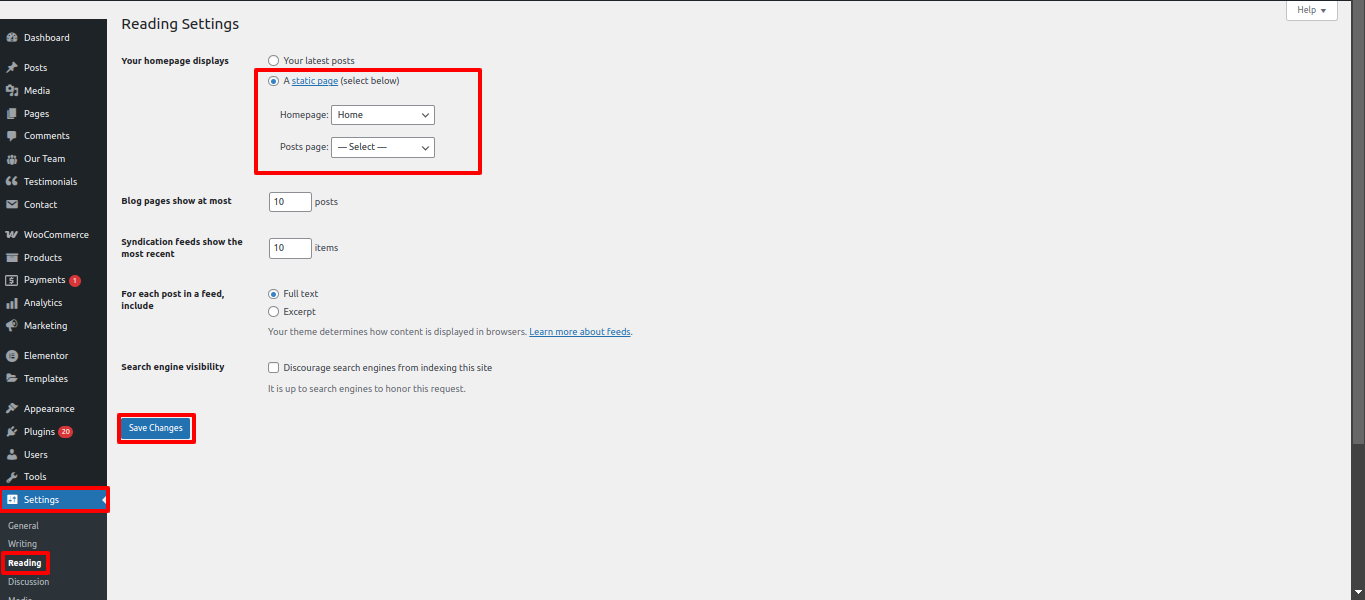
- Decide into Settings > Reading in Your a dashboard on the WordPress platform.
- Under "Your Main Site displays," select Static Page.
- Choose Home as your Main Site.
The site header
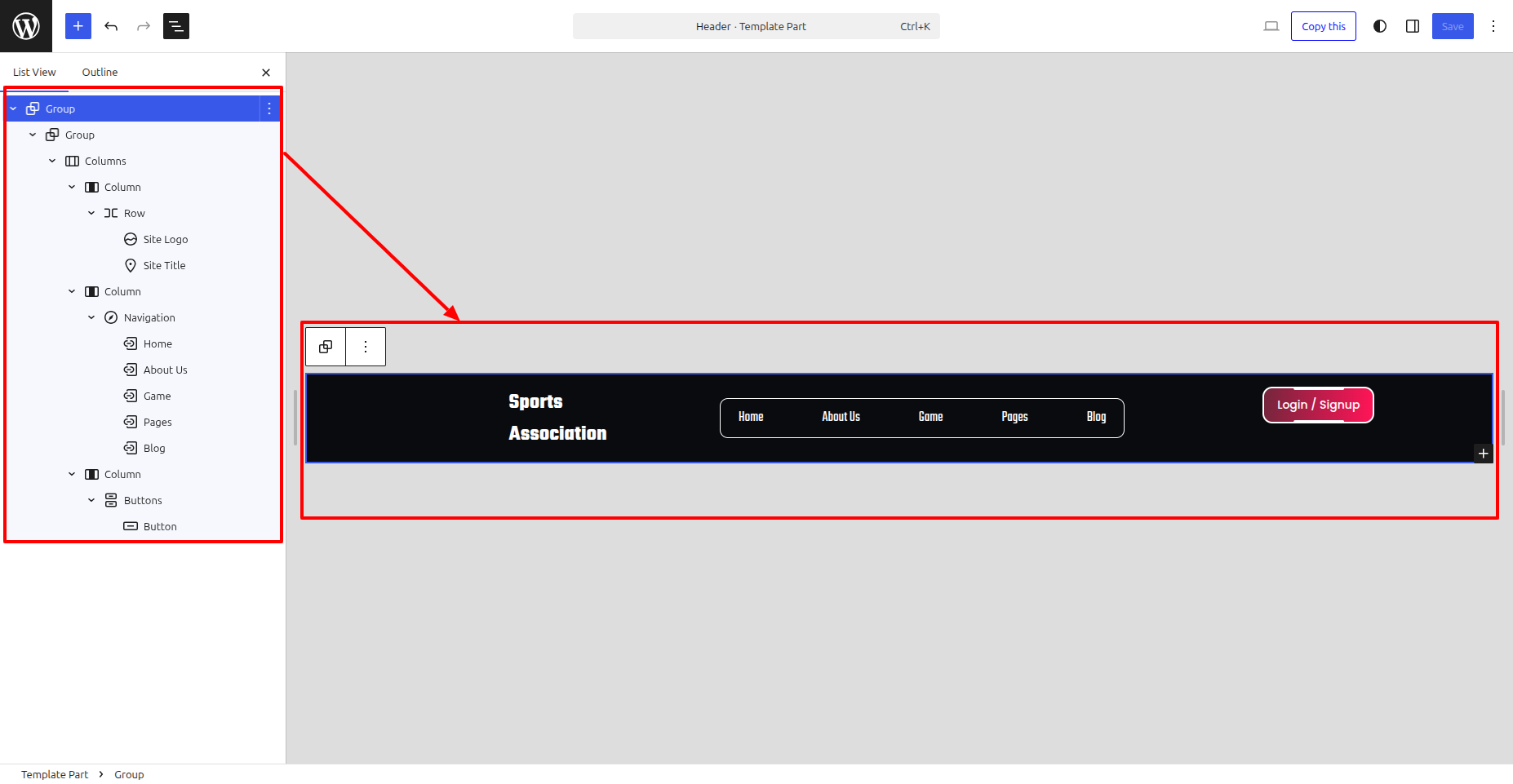
The top section consists of comprise three essential components. Website headers, crucial for navigation and branding, usually comprise three essential components.. These components help users understand the site and access important areas.:
- The top section area may contain a top bar.
- The site also contains the Site Name and Logo.
- The site contains a Main Menu.

Top Bar
To Edit the top bar of The top section, adhere to the instructions:
- Go to Your a dashboard on the WordPress platform and Decide into Appearance > Editor > Patterns > Header > Click on Header .
- Add your address, email, social media sites, and contact number.
- Click Save to save the changes.
Modifying the Website's Name or Logo
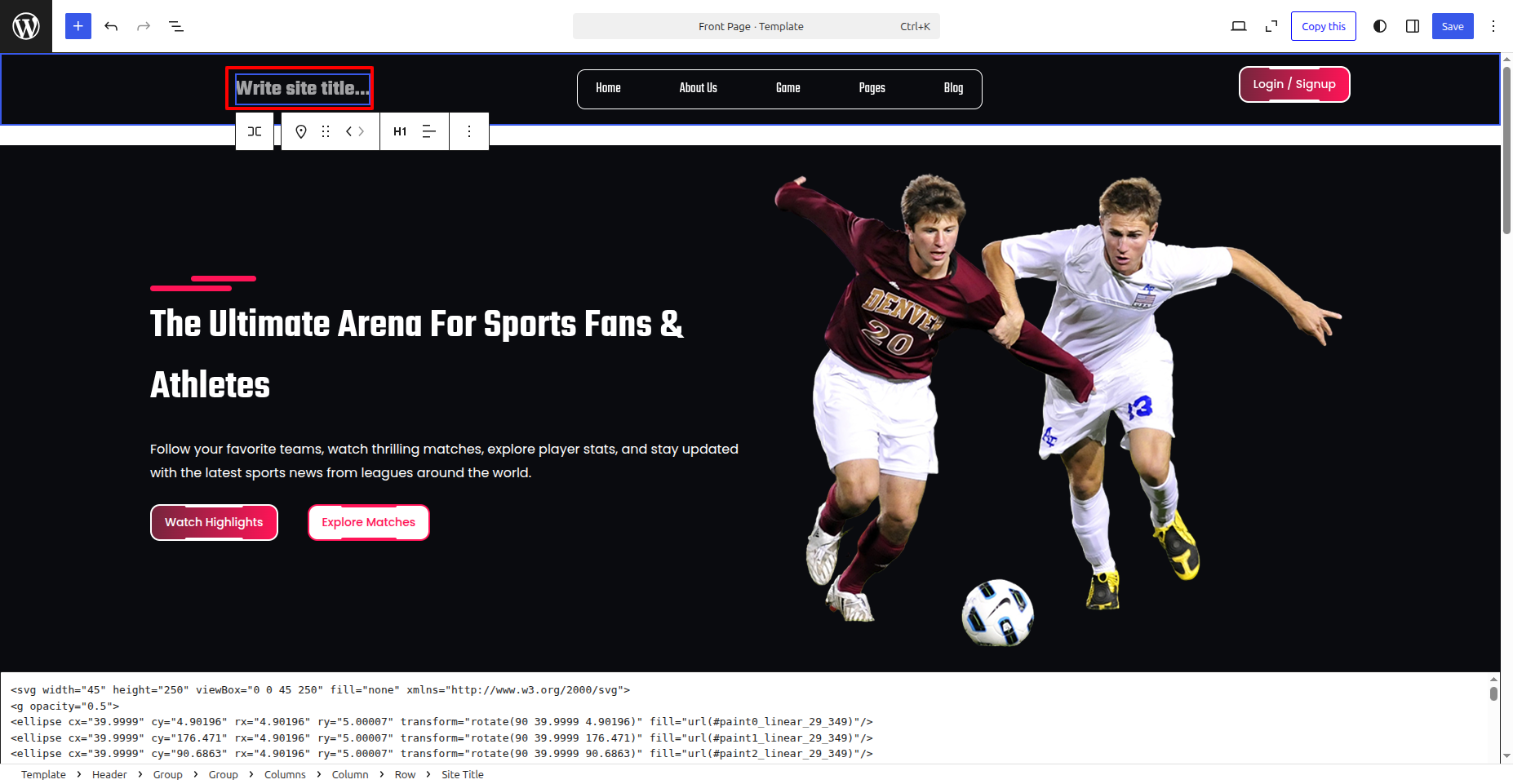
To update The tag line, the logo, and site title adhere to the instructions:
- Go to Your a dashboard on the WordPress platform and Decide into Appearance > Front > Edit Site.
- Write Site Title regarding your website.
- Click Save to Publish your modifications..
c. Managing Menus
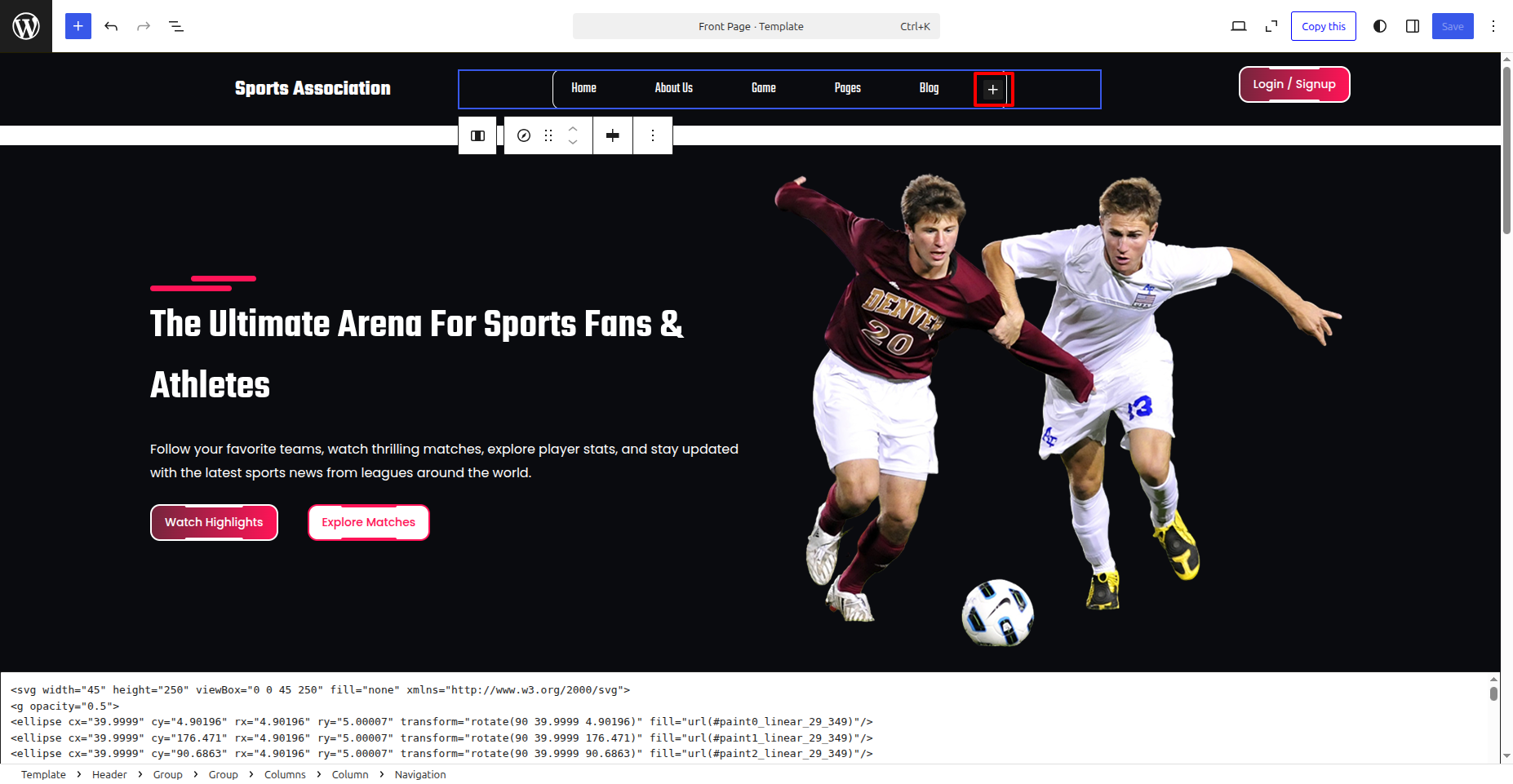
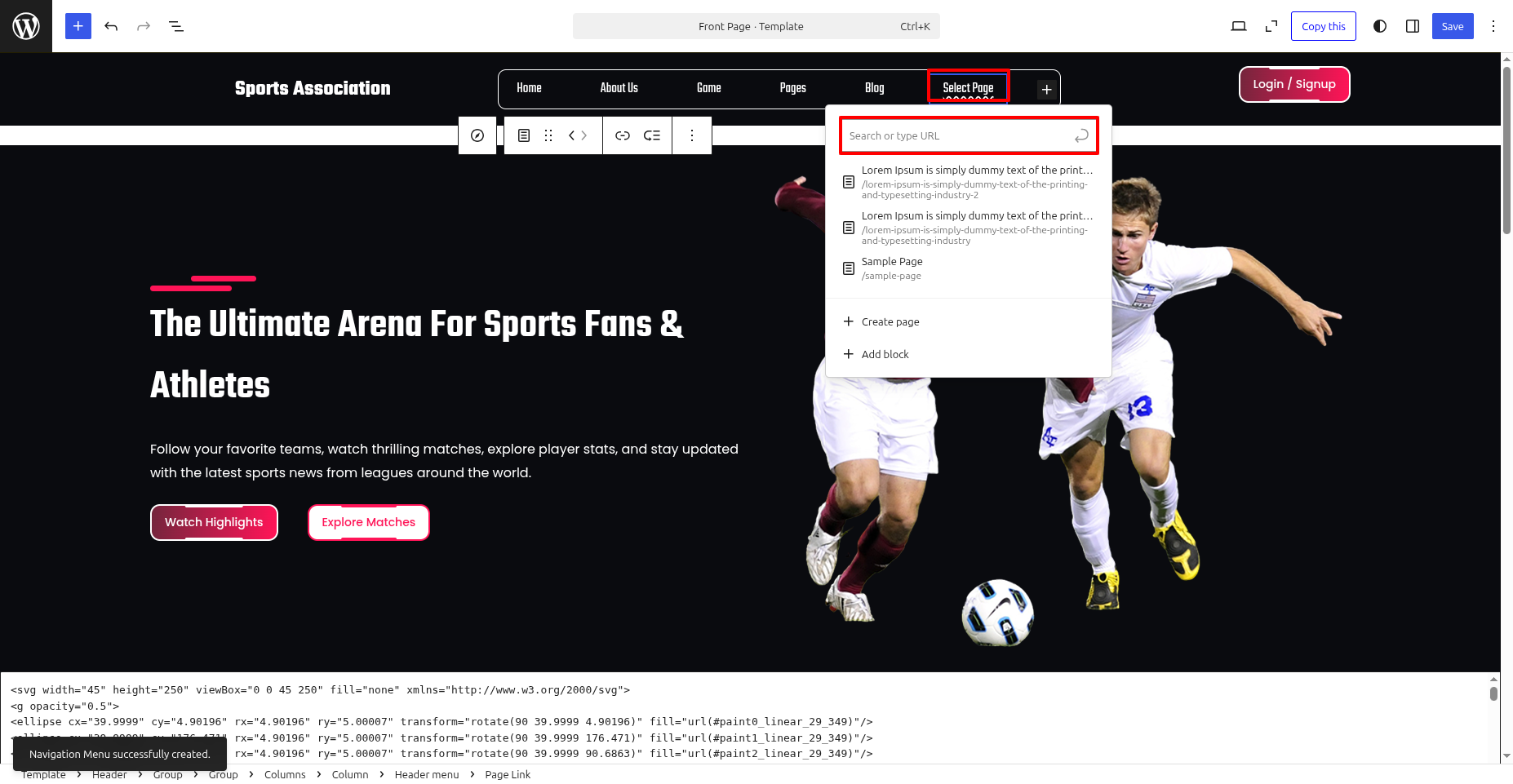
- Go to Your a dashboard on the WordPress platform and Decide into Appearance > Front > Edit Site.
- Should they double click on the navigation, you will see a plus box..
- Should they click on the plus box, an option to Add Links will appear..
Banner
This theme includes a Banner feature. adhere to the instructions. to set it up:
- Go to Your a dashboard on the WordPress platform and Decide into Appearance > Front > Edit Site.
- Editing is permitted. the title & text in the Banner .
- Click Save to Publish your modifications..
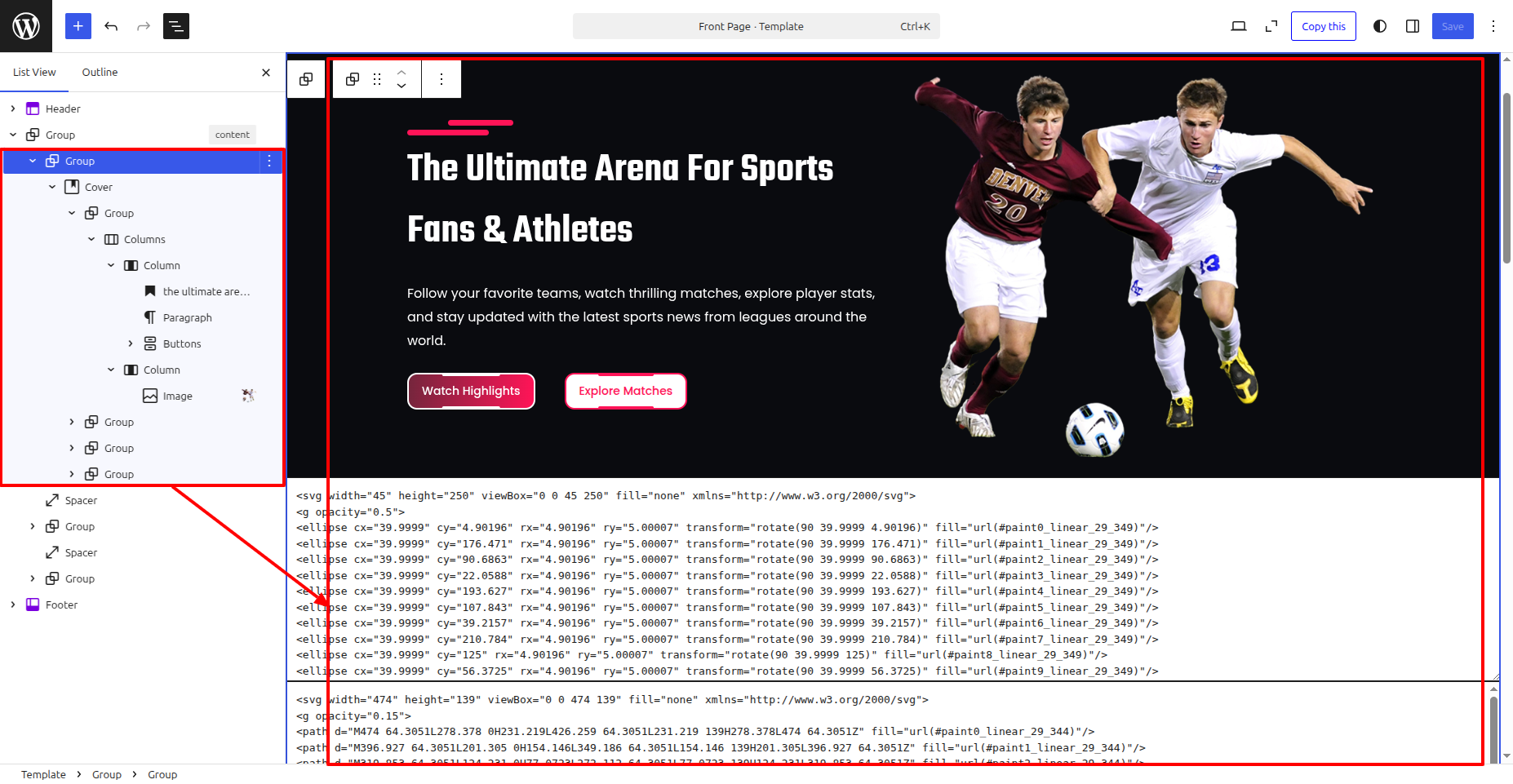
The final appearance will resemble this after saving.

Welcome
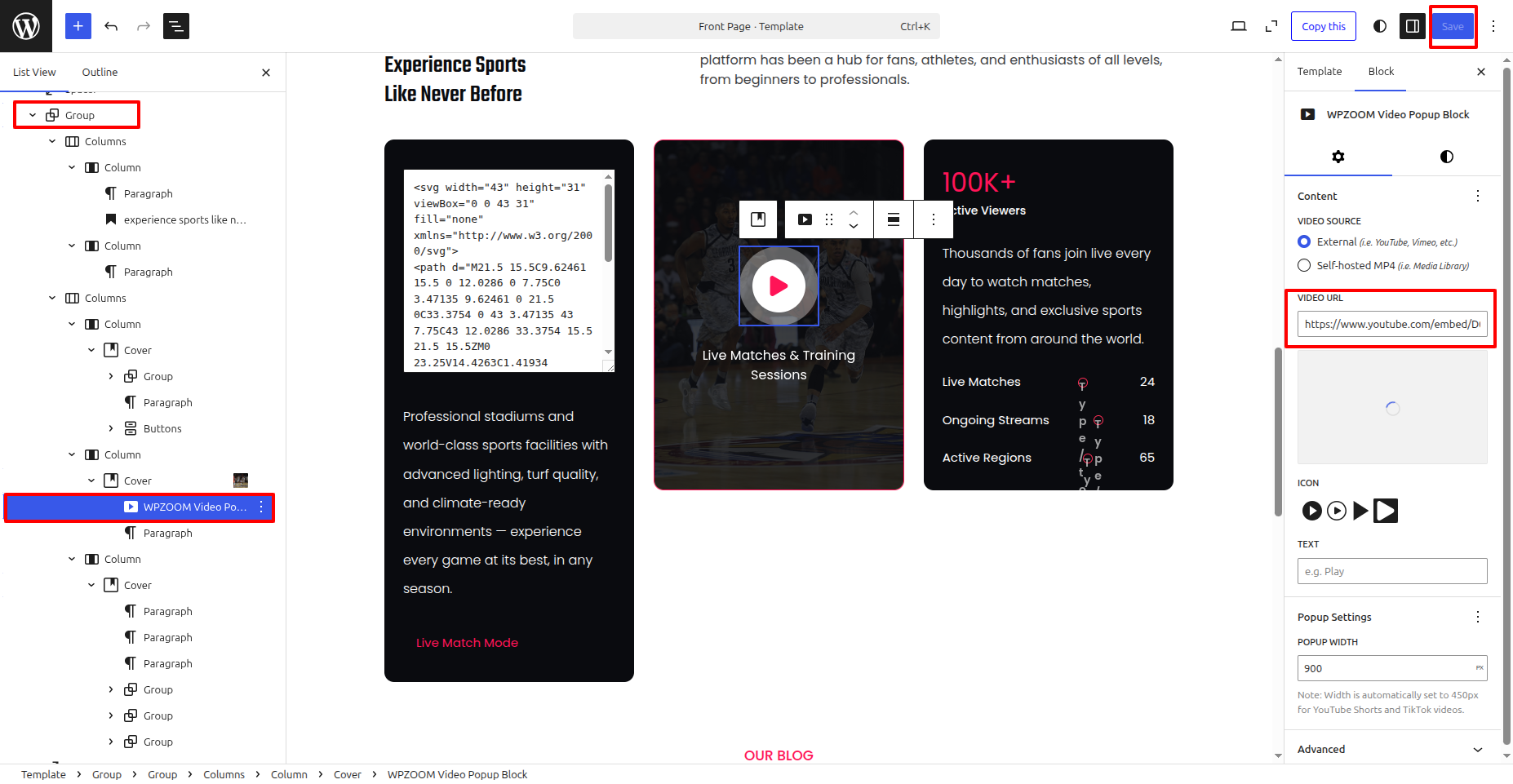
This theme includes a Welcome feature. adhere to the instructions. to set it up:
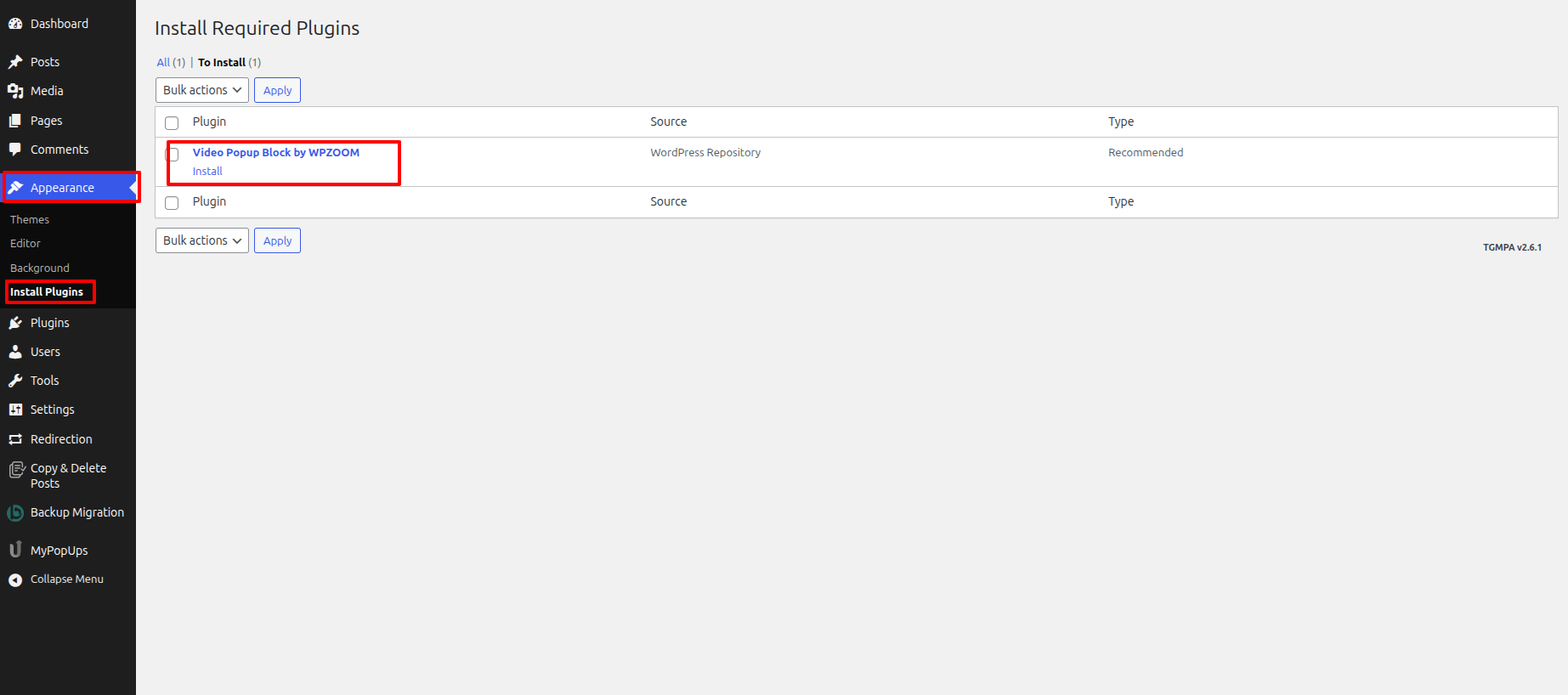
- Go to Your a dashboard on the WordPress platform and Decide into Appearance > Install Plugins .
- Go to Your a dashboard on the WordPress platform and Decide into Appearance > Front > Edit Site.
- Editing is permitted. the title & text in the Welcome .
- Click Save to Publish your modifications..
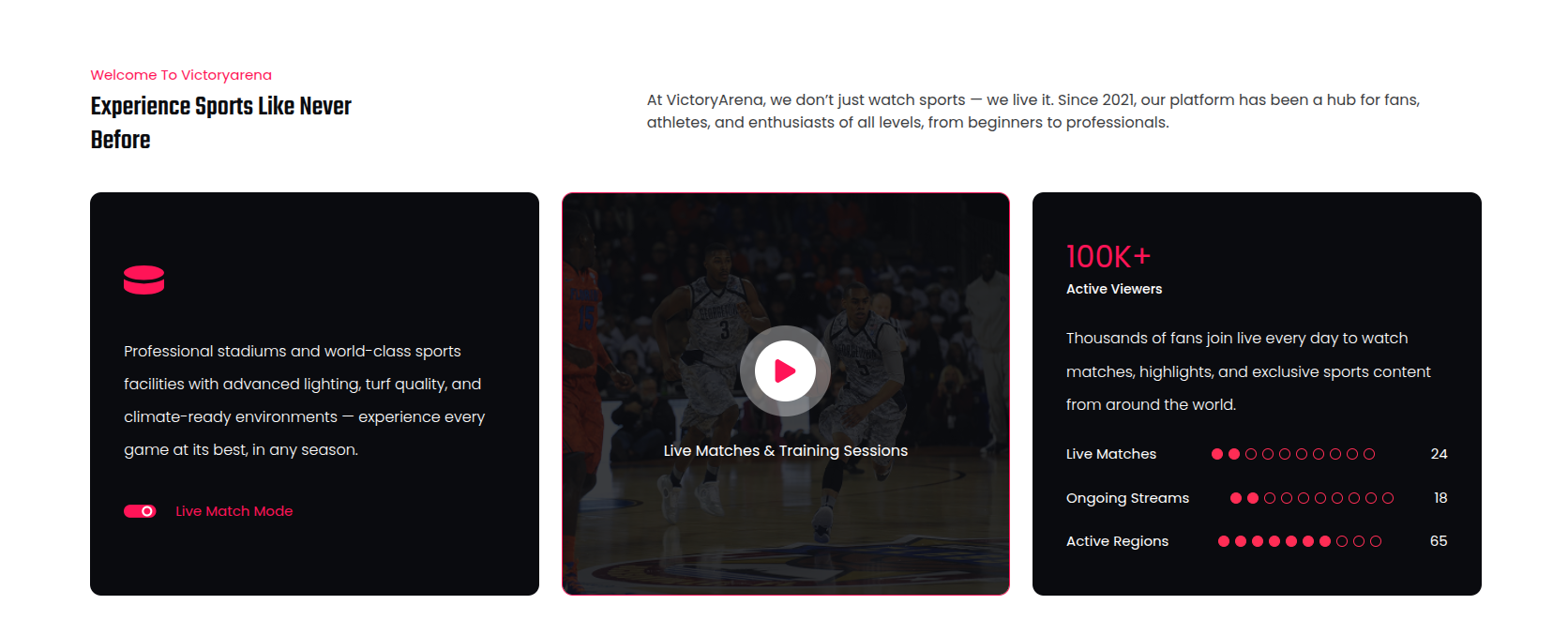
The final appearance will resemble this after saving.
Latest News
To display Latest News:
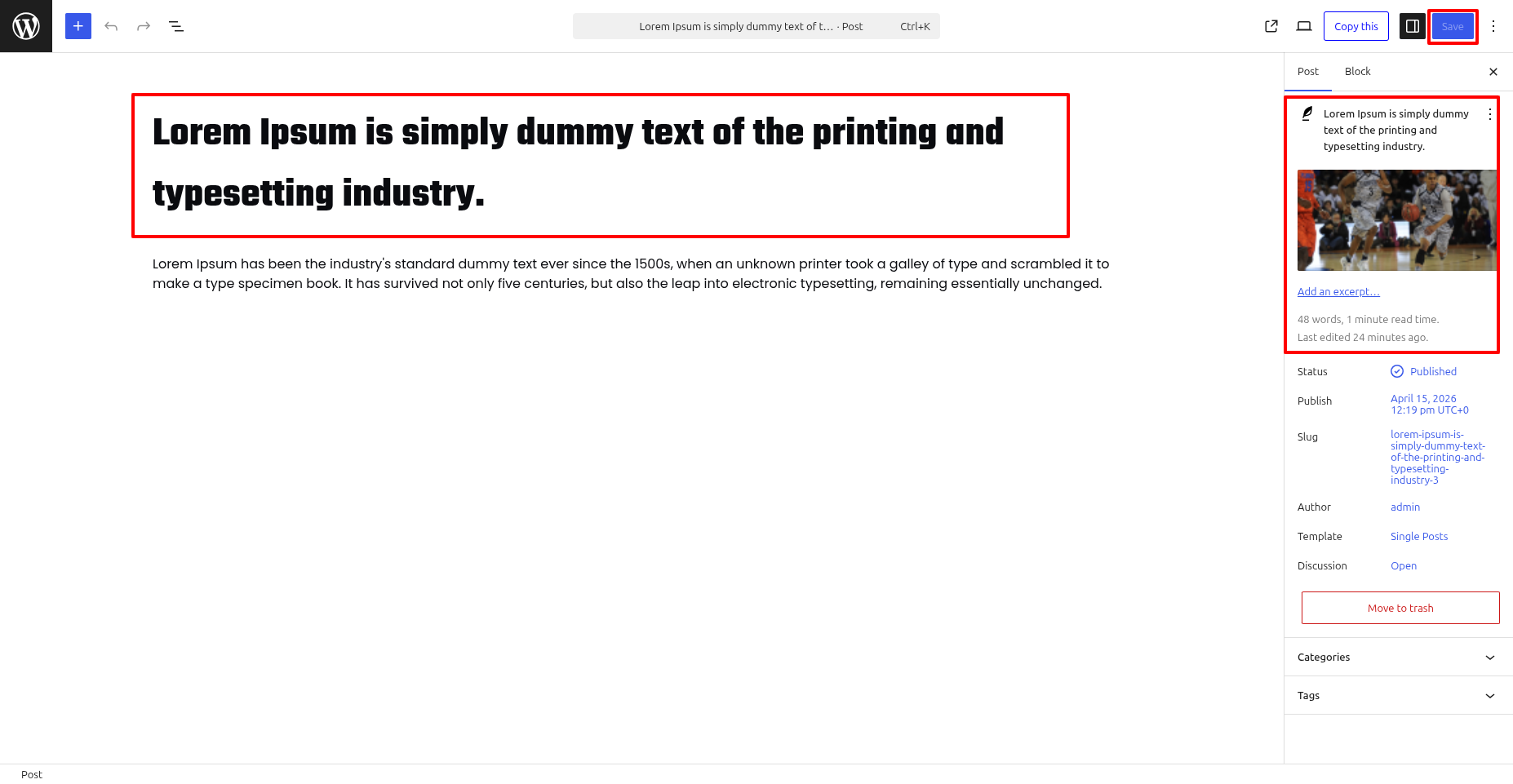
- Create new posts from Posts » than Add New
- Set a featured image along with add a title and text.
This theme includes a Latest News feature. adhere to the instructions. to set it up:
- Go to Your a dashboard on the WordPress platform and Decide into Appearance > Front > Edit Site.
- Editing is permitted. the title & text in the Latest News .
- Click Save to Publish your modifications..
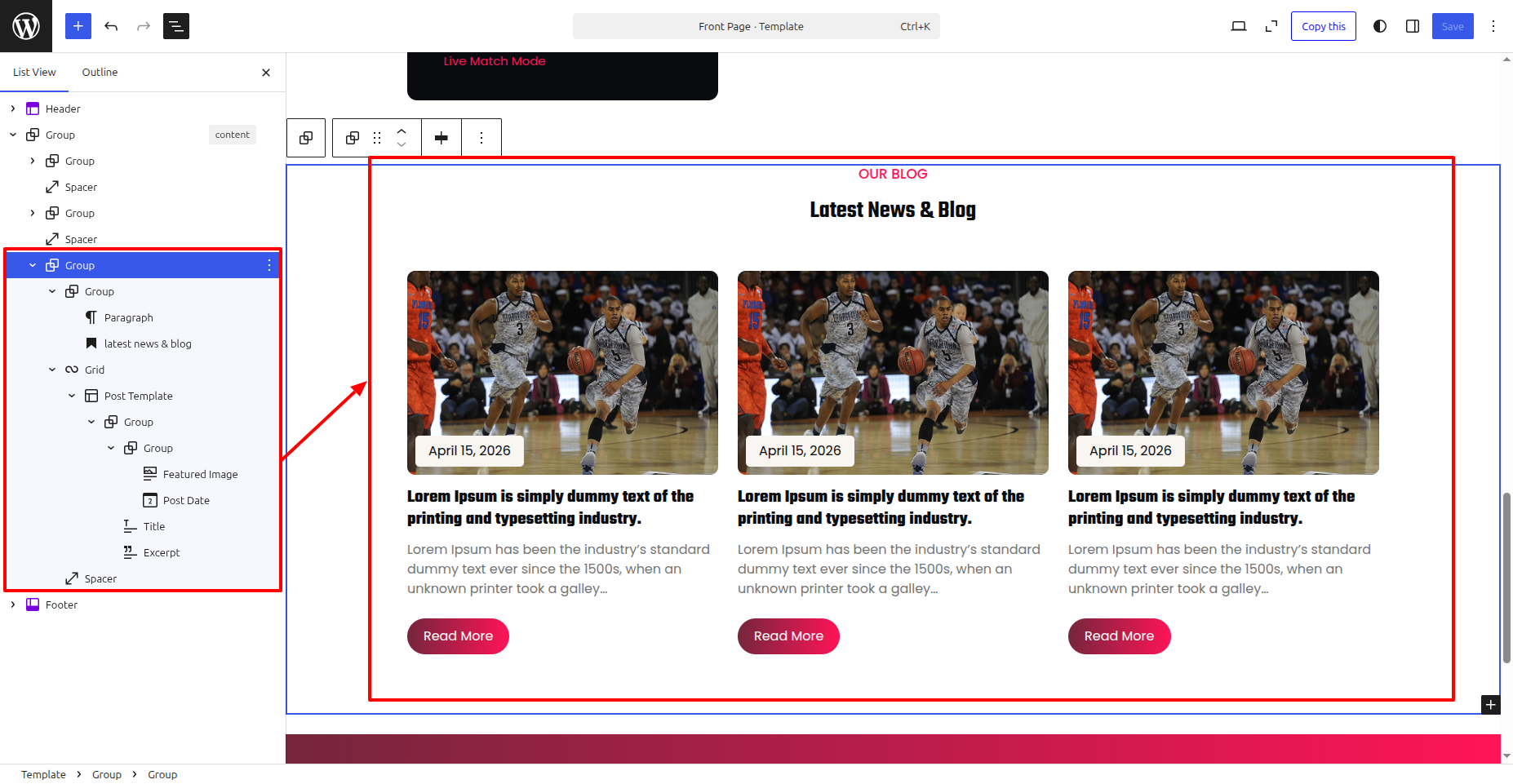
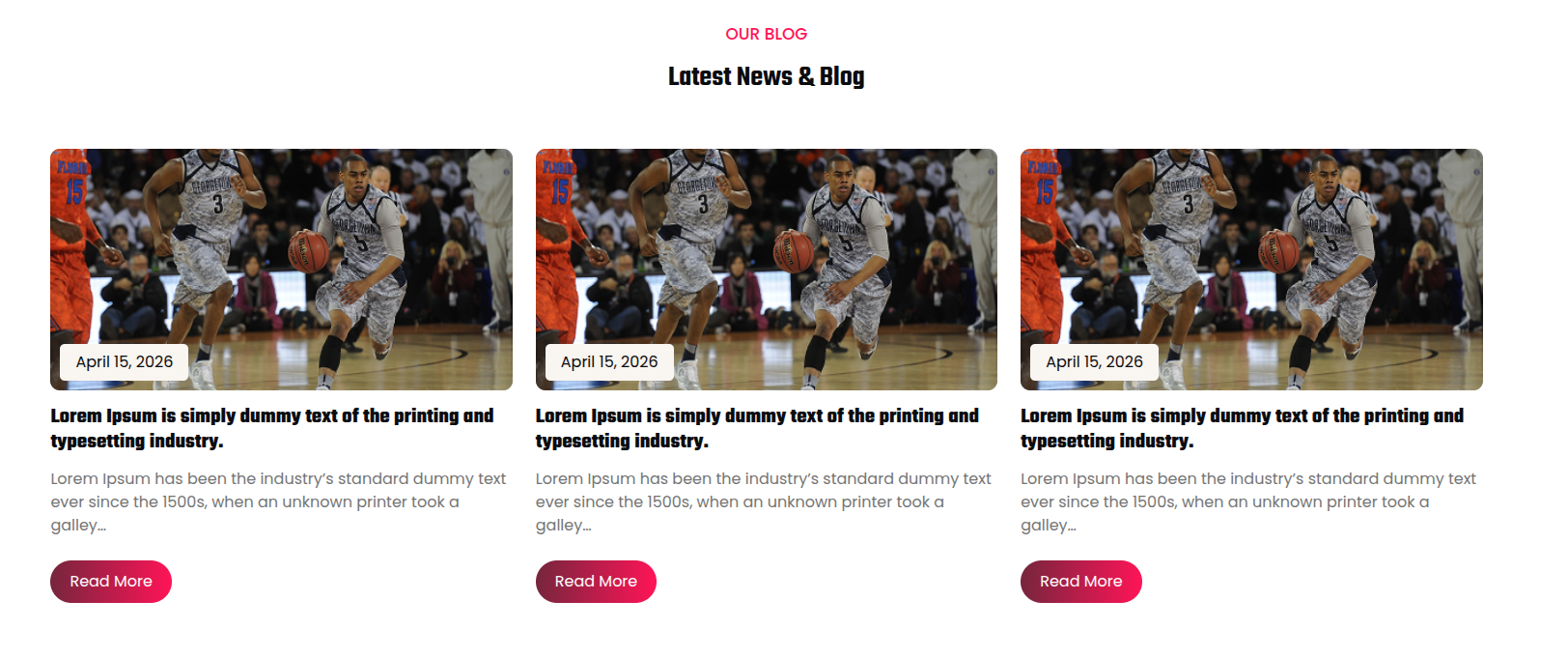
The final appearance will resemble this after saving.
Footer
To Edit the Footer top bar, adhere to the instructions:
- Go to Your a dashboard on the WordPress platform and Decide into Appearance > Editor > Patterns > Footer > Click on Footer .
- Add your Paragraph, Links, social media sites, and etc.
- Click Save to save the changes.
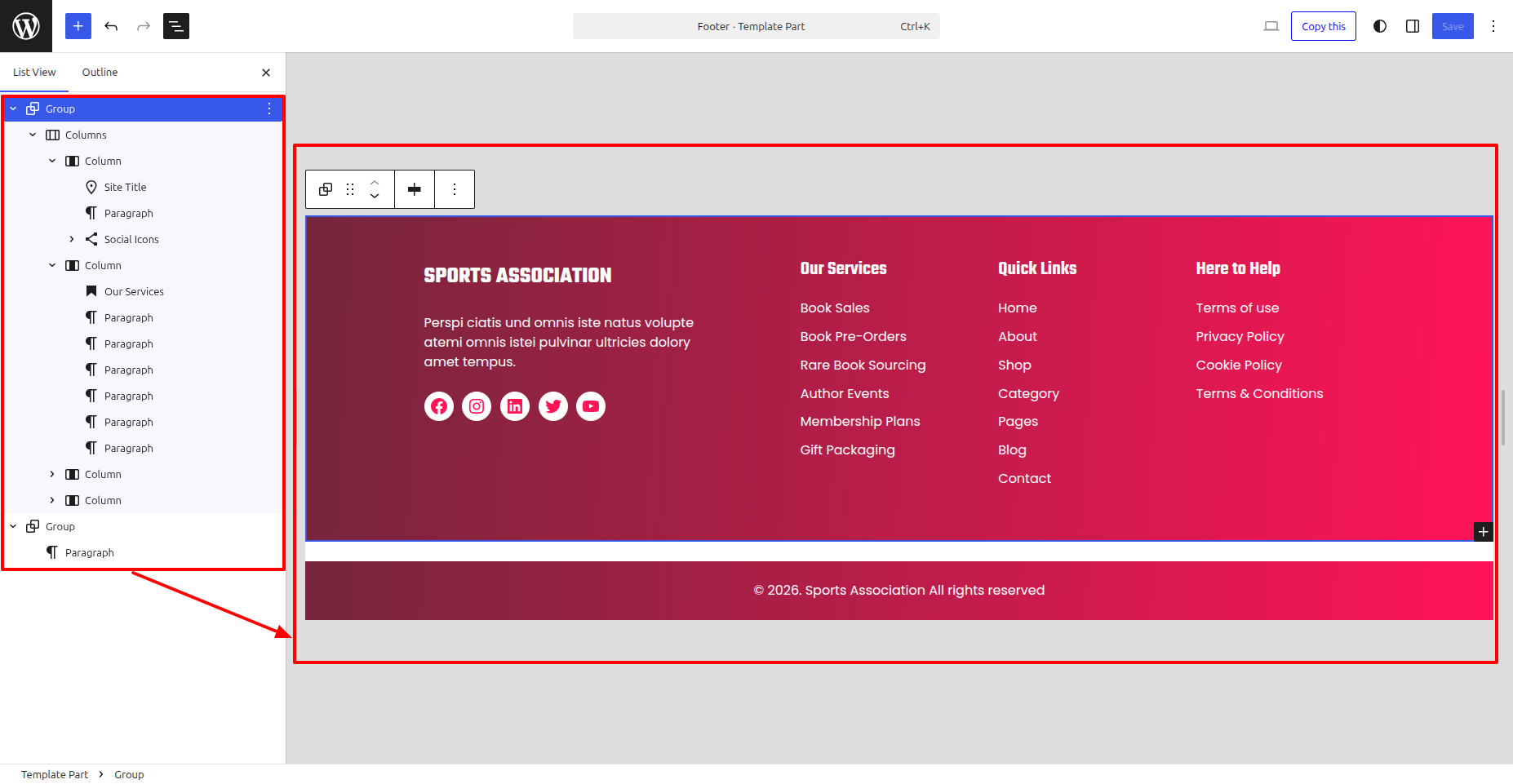
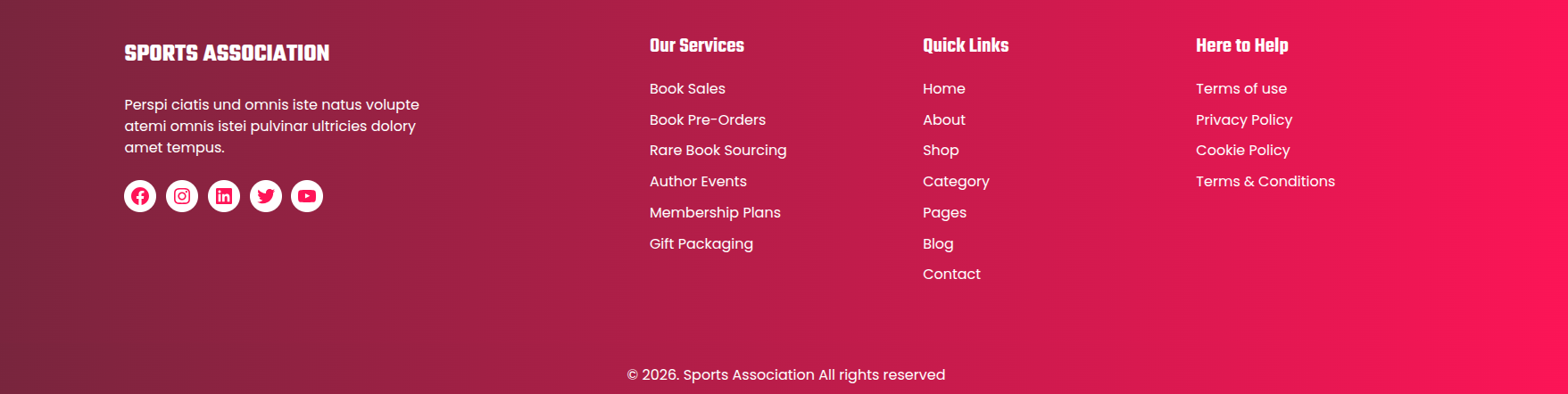
The final appearance will resemble this after saving.